
Mileage Tracking App 2026: The Smartest Way to Capture Your Deductions
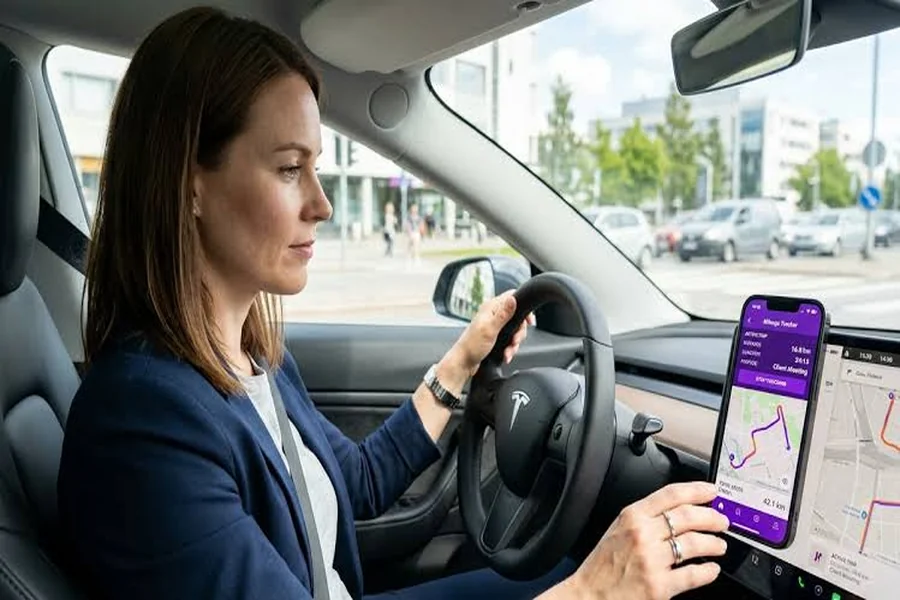
If you drive for work, 2026 is the year to get serious about a mileage tracking app, and not only because the deduction is valuable. This year the IRS changed the mileage rate partway through the year, which makes accurate, dated records more important than they have been in a long time. A good Mileage Tracking App 2026 captures every drive automatically, applies the correct rate to each period, and produces a tax-ready report, handling exactly the complexity that trips people up this year. This guide explains why it is the smartest way to capture your deductions in 2026.
What Makes 2026 Different
In most years, the IRS sets one business mileage rate for all twelve months. In 2026, it set two. The rate began at 72.5 cents per mile, then rose to 76 cents from July 1 onward, an adjustment made in response to rising fuel costs.
| Period | Business rate |
|---|---|
| Jan 1 – Jun 30, 2026 | 72.5¢/mile |
| Jul 1 – Dec 31, 2026 | 76¢/mile |
That split means a correct 2026 deduction depends on knowing when each trip happened. A trip in May is worth a different amount than the same trip in August, so your record now needs an accurate date on every drive. An app that timestamps everything handles this automatically; a handwritten log or a memory-based estimate almost certainly gets it wrong.
What Your Miles Are Worth
The deduction is substantial, which is why getting it right matters.
| Business miles per year | Deduction at 76¢/mile |
|---|---|
| 3,000 | $2,280 |
| 6,000 | $4,560 |
| 10,000 | $7,600 |
| 15,000 | $11,400 |
Each deduction comes straight off your taxable income. For a regular driver, that translates into hundreds or thousands of dollars in real savings, captured by an app that runs in the background.
Why Manual Tracking Fails, Especially in 2026
Manual tracking has always been unreliable, but the 2026 rate split makes it riskier than ever.
- You forget to log trips on busy days.
- You lose the record or let it fall out of date.
- You estimate by tax time, which is now doubly inaccurate with two rates.
- You misdate trips, which can apply the wrong rate and distort your deduction.
A manual log was already shaky. In a two-rate year, reconstructing it from memory practically guarantees errors. An app removes the risk by recording each trip with an accurate timestamp as it happens.
How the App Handles It
A good tracker does the hard parts for you, including the 2026 complexity.
- Automatic detection. The app senses when you drive and records the trip with GPS and a timestamp.
- Swipe to classify. You mark each trip business or personal in seconds.
- Correct rate applied. The app uses 72.5 cents for first-half trips and 76 cents for later ones, automatically.
- Clean export. At tax time, you generate a report that already reflects the split rate.
The only active step is the swipe, which can be batched weekly. The app handles the dating and the rate math, exactly where manual methods break down this year.
Standard Mileage vs. Actual Expenses
The app feeds the standard mileage method, but it helps to know your options.
- Standard mileage multiplies business miles by the IRS rate. Simple, and usually better for efficient cars driven a lot.
- Actual expenses deducts the business-use share of real costs, but requires keeping every receipt.
- Both need the miles, since even the actual method relies on your business-use percentage from the log.
| Method | Recordkeeping | Best for |
|---|---|---|
| Standard mileage | Just track miles | Most everyday drivers |
| Actual expenses | Save every receipt | Costly or heavily used cars |
For most people, the standard method is simpler and often the larger deduction, and an app makes it effortless.
Staying Compliant
A deduction only counts if the record meets IRS standards. The IRS wants a log with the date, distance, locations, and purpose of each trip, made around the time it happened. The app captures the first three automatically and lets you add the purpose in a tap. The official requirements are on the IRS standard mileage rates page, worth reading once so you know what a defensible record looks like.
A Worked Example With the Split Rate
To see why the app’s rate handling matters, suppose you drove these business miles in 2026.
| Period | Business miles | Rate | Deduction |
|---|---|---|---|
| Jan–Jun | 3,500 | 72.5¢ | $2,537.50 |
| Jul–Dec | 4,000 | 76¢ | $3,040.00 |
| Total | 7,500 | mixed | $5,577.50 |
Apply a single rate to all 7,500 miles and you would either overstate or understate the deduction. Only splitting by date gives the correct figure, and the app does that split for you without any thought.
Who Should Set One Up in 2026
A mileage app pays off for anyone who drives to earn, and the 2026 rate change makes it worth setting up now rather than later.
- Small business owners running errands and meeting suppliers.
- Freelancers and consultants visiting clients and travelling between jobs.
- Delivery and rideshare drivers covering serious daily miles.
- Sales professionals working a territory.
- Side hustlers driving to customers, markets, or events.
If any of these fit, the miles you drive this year are worth money, and with two rates in play, an app is the surest way to capture them accurately.
Getting Started
Setting up takes minutes and protects your whole year of driving.
- Install the app and enable automatic detection so it starts capturing trips immediately.
- Classify weekly, swiping trips into business or personal while they are fresh.
- Check your total each month to confirm it looks right.
- Export at tax time for a report that already reflects the split 2026 rate.
The sooner you start, the more of 2026 gets captured correctly. Every untracked day in a two-rate year is both a lost deduction and a gap in the dated record the rate split now requires.
Manual vs. App in a Two-Rate Year
The 2026 split widens the gap between manual tracking and an app. Seen side by side, the choice is clear.
| Factor | Manual log | Mileage app |
|---|---|---|
| Trip dating | Easy to forget or guess | Timestamped automatically |
| Applying two rates | Done by hand, error-prone | Applied automatically |
| Short trips | Usually missed | Always captured |
| Records at tax time | Often estimated | Complete and dated |
| Audit strength | Weak if reconstructed | Strong and contemporaneous |
In an ordinary year, a diligent manual logger might get by. In 2026, with the rate changing on July 1, the margin for error is smaller and the cost of a mistake is higher. The app closes that gap entirely by handling exactly the two things, accurate dating and correct rate application, that the split rate demands.
The Bottom Line
A mileage tracking app has always been a smart way to capture deductions, but in 2026 it is close to essential. The mid-year rate change means an accurate, dated record is no longer optional, and doing the two-period split by hand is exactly the kind of task people get wrong. An app captures every trip, dates it, applies the right rate, and produces a clean report, all with almost no effort.
For most drivers, that means thousands of dollars in deductions captured correctly and defensibly. The driving is already happening; the app simply makes sure you get full, accurate credit for it in a year where the details matter more than usual.